
What Is Small Business Marketing Automation (and How Does It Work)?
Small business marketing automation is software that handles repetitive marketing tasks for you, such as sending emails, following up with new leads, and…
Small business marketing automation is software that handles repetitive marketing tasks for you, such as sending emails, following up with new leads, and tailoring messages to what each customer does, so a small team can run campaigns that would otherwise demand a dedicated department. You set the rules once. The platform carries them out every time.
That matters because most small teams don’t lack ideas. They lack hours. A welcome email that goes out the moment someone signs up, a reminder that nudges an abandoned cart, a follow-up that arrives when a lead clicks a pricing page: each is simple on its own, and nearly impossible to deliver consistently by hand.
Tools in this space split into two camps. Enterprise platforms focus on advanced AI, cross-channel orchestration, and scale. Small business platforms, including HubSpot Marketing Hub, ActiveCampaign, Klaviyo, Mailchimp, and Brevo, prioritize ease of use and affordability.
This guide explains how marketing automation works, what the main tool types look like, and where it pays off in practice. We’ll also look at how to automate responsibly, because the goal is relevance and respect for your audience, not volume. Check current pricing and features with each vendor before you commit.
What Marketing Automation Means for a Small Business
Marketing automation, at small-business scale, is software that takes over the repetitive parts of marketing so a small team can stay consistent without working every hour. Platforms in this space help businesses automate campaigns, personalize customer journeys, and improve marketing efficiency. For a shop owner who also handles inventory, payroll, and customer service, that efficiency isn’t a luxury. It’s often the difference between following up with every new lead and letting half of them go quiet.
It’s worth being clear about what automation is not. It doesn’t replace strategy, because a tool can only execute the plan you give it. It doesn’t replace your human voice either. The best automated messages still sound like a real person who knows the customer. And it’s different from a one-off email blast, which sends the same message to everyone once. Automation responds to what each person actually does, then sends the right follow-up at the right time.
A few core terms come up constantly, so here’s a quick glossary:
- Workflow (trigger)
- A pre-built sequence of actions that starts when a customer does something, such as signing up or abandoning a cart.
- Customer journey
- The path a person takes from first hearing about you to becoming, and staying, a customer.
- Segmentation
- Grouping contacts by shared traits or behavior so each group gets more relevant messages.
- CRM integration
- A connection between your automation platform and your contact records, so messages reflect what you already know about each customer.
That last term matters more than it first appears. Solid CRM integration keeps your messaging tied to real customer data rather than guesswork. If you want to see how others measure the payoff, there’s useful reading on returns on marketing automation though results will vary by business.
How Automation Works Behind the Scenes

Triggers, Segments, and Journeys
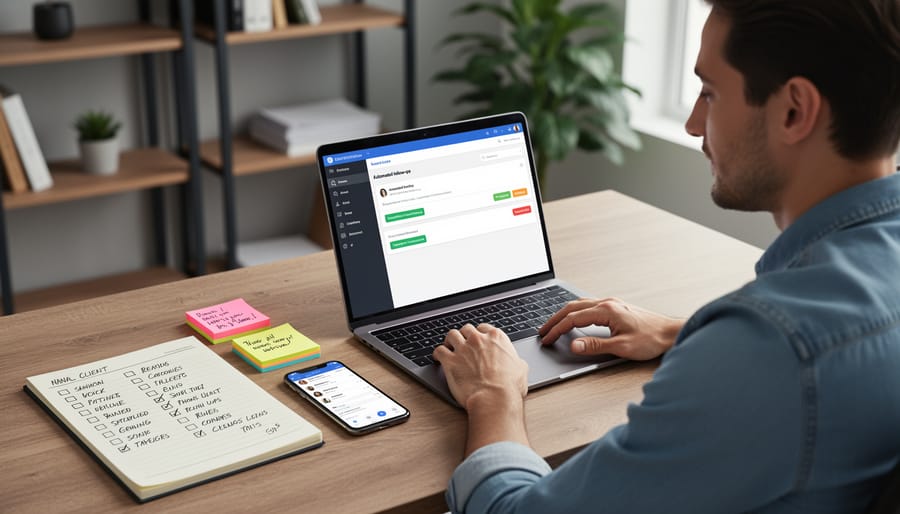
Think of automation as three parts working together: triggers, segments, and journeys.
A trigger is the action that sets things in motion. Someone joins your list, buys a product, or lingers on a pricing page. On its own, a trigger is just a signal that someone did something.
A segment tells the system who that person is. Instead of one giant list, you group contacts by shared traits or behavior: new subscribers, repeat buyers, people who clicked a particular email. Segments keep a message relevant, so a first-time visitor doesn’t get the same note as a loyal customer.
A journey is the pre-built path that connects the two. It’s a series of steps, such as a welcome message, a short wait, a follow-up, and a tag that moves the contact into a new group. Platforms built to personalize customer journeys let you map this once and let it run.
Here’s how they combine. A new subscriber (trigger) who signed up through your workshop page (segment) enters a three-email welcome sequence (journey) tailored to that interest. You set it up one time. After that, each person gets a timely, relevant message without you hand-writing every reply.
Start small. One trigger, one segment, and one short journey is plenty to learn how the pieces fit before you build anything more elaborate.
Small Business Tools vs. Enterprise Platforms
Marketing automation isn’t one market so much as two, and they’re built around different priorities.
Enterprise platforms focus on advanced AI, cross-channel orchestration, and scalability. That makes sense for large organizations running many campaigns across many channels, with dedicated staff to configure and maintain the system. The depth is the point, and so is the overhead that comes with it.
SMB platforms prioritize ease of use and affordability. They’re designed so one person, or a very small team, can get a workflow running without a long setup or specialist help. Tools like HubSpot Marketing Hub, ActiveCampaign, Klaviyo, Mailchimp, and Brevo are listed among the options aimed at this end of the market.
Both aim to do the same core work: automate campaigns, personalize customer journeys, and make marketing more efficient. What differs is how much complexity you take on to get there.
For a lean team, the practical question is what you’ll actually use. Advanced orchestration across many channels sounds impressive, but it’s wasted if no one has time to build and manage it. If you’re sending a welcome sequence and a few follow-ups, simplicity usually beats sophistication. Start by listing the two or three workflows you need this quarter, then choose the tool that handles those cleanly. You can always move up the ladder later, once your needs and your team have grown.
Platforms Small Teams Are Looking At
Several names come up again and again when small teams start researching tools. HubSpot Marketing Hub, ActiveCampaign, Klaviyo, Mailchimp, and Brevo are all listed among marketing automation platforms for SMBs. Being listed doesn’t make any of them the right choice for you, so treat this as a starting shortlist rather than a verdict.
- HubSpot Marketing Hub: listed for SMBs, so check whether its scope matches the size of your team and goals.
- ActiveCampaign: listed for SMBs, so test whether its workflow-building style feels natural to your team.
- Klaviyo: listed for SMBs, so consider how well it fits the channels and customer data you already use.
- Mailchimp: listed for SMBs, so weigh it against your needs for simplicity and day-to-day usability.
- Brevo: listed for SMBs, so confirm it connects with the tools you rely on before committing.
Since SMB platforms generally prioritize ease of use and affordability, those two ideas are a sensible lens for any comparison. Start with ease of use. Could one person build and edit a basic workflow without a long learning curve? Many vendors offer trials or demos, so try the actual interface rather than relying on descriptions.
Next, look at integrations. Your automation is only as useful as the data feeding it, so see whether a platform connects to your website, online store, or customer list. Then check fit with your channels. If most of your customer conversations happen over email, that should shape your choice differently than a business leaning heavily on social media.
Finally, confirm current pricing and features directly with each vendor. Those details change, and a quick check beats an assumption.
Where Small Businesses Put Automation to Work
Most small teams don’t start with a grand strategy. They start with one painful, repetitive task and automate that. A few use cases come up again and again:
- Welcome and onboarding sequences: introduce your business to new subscribers so nobody waits days for a first hello.
- Abandoned-cart and re-engagement flows: nudge shoppers or lapsed contacts who drifted away mid-decision.
- Lead nurturing: send helpful, timed content to prospects who aren’t ready to buy yet.
- Social media scheduling and audience follow-up: keep posts consistent and respond to new followers without living in your feeds.
- Post-purchase check-ins: confirm the order arrived, answer early questions, and ask for feedback.
Automation also ties these channels together. A contact who clicks a social post can land in the right email workflow, and your content can feed both. It pairs well with SEO marketing since the traffic you earn from search needs a follow-up path, or it just leaves. Post-purchase check-ins also double as a light layer of customer service catching problems before they become public complaints.
A note for niche or regulated markets. If you work in an area like wellness or cannabis, where products and claims draw extra scrutiny, context matters. Explain clearly to readers what you offer and why, and promote ethically. Put consent-based messaging and compliant content ahead of convenience. Rules differ by region and industry, so confirm what applies to your own market before you automate anything.
Automating Responsibly: Ethics, Consent, and the Human Touch
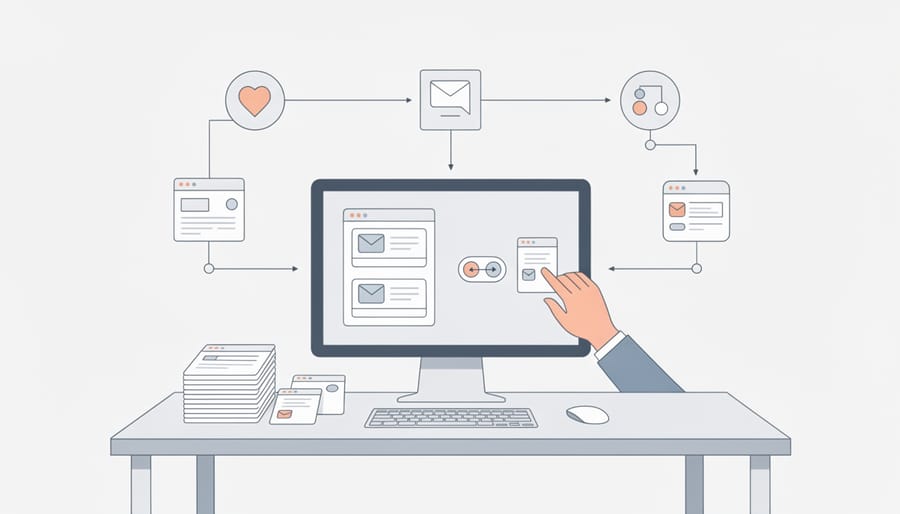
Automation makes it easy to reach thousands of people with a single workflow, which is exactly why it deserves guardrails. Start with consent. Only message people who opted in, make unsubscribing simple, and honor those choices without delay. Keep your claims honest, and skip manufactured urgency, like fake countdown timers or “only 2 left” messages that aren’t true. They might lift a click or two, but they wear down trust.
Review your automations on a schedule, too. A welcome sequence written a year ago may mention offers that no longer exist or speak to customers who’ve long since moved on. Treat each workflow as something you tend, not something you set and forget. Securing the channels these messages run through matters just as much, so make sure you also protect your accounts that power your outreach.
Rules around email and data use differ by region and industry, so confirm what applies to your own markets before you launch.
Common Questions About Small Business Marketing Automation
Small business owners tend to ask the same handful of things before they commit to a tool. Here are the clearest answers based on what we can verify.
What do marketing automation platforms actually do?
They help businesses automate campaigns, personalize customer journeys, and improve marketing efficiency. In practice, that means the software handles repeatable steps so your team can focus on strategy and creative work.
How do enterprise tools differ from small business platforms?
Enterprise tools focus on advanced AI, cross-channel orchestration, and scalability. Platforms built for small businesses prioritize ease of use and affordability, which usually suits a lean team better.
Which platforms are listed for small businesses?
HubSpot Marketing Hub, ActiveCampaign, Klaviyo, Mailchimp, and Brevo are all listed among marketing automation platforms for SMBs. Treat that as a starting list to evaluate, not a ranking.
What do these tools cost, and how well do they perform?
Pricing, benchmark results, and adoption figures vary by vendor and change over time, so check them directly with each provider. Be cautious of any number quoted without a clear source.
A common follow-up is whether automation replaces a marketer. It doesn’t. The software runs the routine tasks, but someone still has to decide who to reach, what to say, and whether the message respects the customer’s choices.
As for getting started, pick one simple workflow, such as a welcome email for new subscribers, and build only that. Confirm your contacts have opted in, run it for a while, and look at how people respond before adding more. Starting small keeps the effort manageable and makes it easier to spot what’s working.
Small business marketing automation comes down to consistency and personalization. It gives a lean team a way to send the right message at the right moment without chasing every follow-up by hand, and the platforms built for small businesses put ease of use and affordability first. That focus is a big part of why this corner of marketing is growing so quickly, and why a one-person team can now run campaigns that once needed a department.
The practical path is a modest one. Start with a single workflow, like a welcome sequence for new subscribers, and build it only on contacts who have said yes to hearing from you. Keep the message honest and make unsubscribing easy. Then watch what happens: who opens, who replies, who ignores. Measure before you add a second workflow. Automation works best when it carries your voice and respects your audience, so let the tool handle the repetition while you stay in charge of the relationship.