

Why Is My Business Social Media Account at Risk? Threats and How to Protect It
The first line of defense against social media threats starts with enabling two-factor authentication on every business account you manage. This single step blocks the majority of unauthorized access attempts, the most common threat vector marketers face in 2026. If you’ve noticed unusual login alerts, unfamiliar posts, or sudden follower drops, you’re likely dealing with a compromised account that requires immediate password rotation and security audit.
Social media threats have evolved far beyond simple password guessing. Today’s marketing professionals navigate a landscape where AI-generated phishing campaigns, sophisticated account takeover schemes, and platform-specific vulnerabilities converge to create real business risk. A single compromised account can trigger cascading brand damage, regulatory penalties under evolving data protection frameworks, and measurable revenue loss. The threat landscape shifts rapidly as bad actors exploit new platform features, third-party integrations, and the expanding attack surface created by remote teams managing multiple accounts across devices.
The stakes demand more than generic security advice. Marketing teams need a systematic approach to identify symptoms early, understand which threats pose the greatest risk to their specific situation, and implement layered defenses that protect without disrupting daily workflows. This guide walks through the complete threat taxonomy facing business social accounts, provides step-by-step remediation protocols for active incidents, and establishes prevention frameworks that balance security with the agility marketing demands. Whether you’re responding to an active breach or building proactive defenses, the following sections deliver practical controls you can implement today.
Recognizing the Warning Signs: Is Your Account Under Threat?
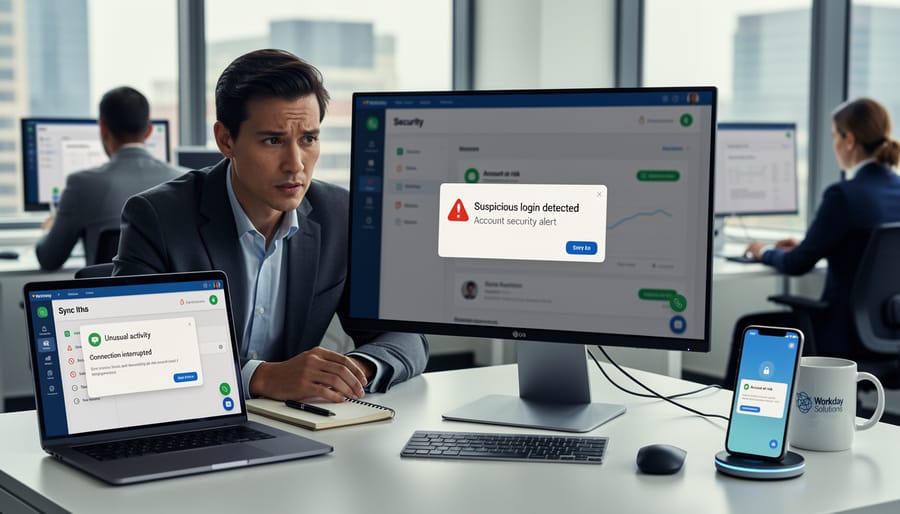
Your first warning that something is wrong typically appears in your platform’s security notifications. That sudden alert about a login from an unfamiliar device or a password change you didn’t initiate demands immediate attention. Many marketing professionals dismiss these as system glitches, but they often signal the earliest stage of an account compromise.
The most obvious red flag comes from content you didn’t create. Posts appearing at odd hours, messages sent to followers without your knowledge, or bio changes that add suspicious links all indicate someone else has control. Your followers might alert you before you notice, asking about promotional content that doesn’t match your brand voice or commenting on posts you never scheduled.
Watch for these critical warning signs:
- Login notifications from locations or devices your team doesn’t use
- Password or email address changes you didn’t authorise
- Posts, stories, or messages appearing without your input
- Sudden spikes or drops in follower count, especially rapid gains from bot accounts
- Direct messages from contacts claiming they received spam from your account
- Connected applications you don’t recognise in your settings
- Unusual engagement patterns, such as your content suddenly reaching demographics you don’t target
- Missing admin team members or altered permission levels
Performance metrics can reveal subtler intrusions. If your reach collapses overnight or your account stops appearing in searches, an attacker may have triggered platform violations through spam activity. Conversely, artificially inflated engagement from fake accounts suggests someone is using your profile for audience manipulation schemes.
The gap between compromise and detection determines your damage control options. Daily security reviews of login history, recent posts, and connected apps help you catch incidents while you can still trace the attack vector and minimise brand impact.
What’s Behind the Attack: Common Threat Vectors
Credential Compromise and Phishing

Attackers gain control of business social media accounts primarily through credential theft, a threat that has intensified as marketing teams manage multiple platforms under constant deadline pressure. The most common entry point remains phishing emails that mimic platform security alerts or impersonate executive requests for urgent campaign approvals. These messages trick team members into entering credentials on fake login pages that harvest usernames and passwords in real time.
High rate of password reuse across both personal and professional accounts amplifies this risk. When a marketer uses the same password for Instagram, LinkedIn, and their agency’s project management tool, a breach at any one service potentially exposes all accounts. Attackers exploit this pattern by testing stolen credentials from unrelated breaches against social media platforms, a technique called credential stuffing.
Phishing tactics have evolved beyond obvious grammatical errors and suspicious sender addresses. Modern campaigns target specific roles within marketing departments, reference real campaign names visible in public posts, and arrive during high-stress periods when scrutiny drops. Some even hijack legitimate email threads, inserting malicious links into ongoing conversations about content approvals or influencer partnerships.
Third-Party Application Vulnerabilities
Marketing teams depend on third-party tools to manage their social media operations efficiently. Buffer, Hootsuite, Sprout Social and similar platforms streamline scheduling and analytics, but they also create potential entry points for attackers. When you grant these applications access to your business accounts, you’re issuing OAuth tokens that function like digital keys. If a management tool gets breached, those tokens can fall into the wrong hands, giving attackers the same posting capabilities and data access you authorized for the legitimate service.
The risk extends beyond major platforms. Lesser-known analytics integrations, chatbot services and content discovery tools often request broad permissions without robust security practices behind them. Compromised app permissions can allow unauthorized parties to read private messages, access follower data or publish content under your brand’s name. Many marketing professionals don’t realize that revoking access from your social media settings is the only way to truly deactivate these tokens, simply deleting the third-party app itself leaves the authorization active.
Review your connected applications quarterly. Remove tools you no longer use, verify that each remaining integration requires only the permissions it actually needs, and research the security track record of vendors before granting access.
Account Takeover Through Social Engineering
Social engineering attacks succeed because they target trust rather than technology. Attackers contact platform support teams claiming to be locked out, often using publicly available company information and convincing fabricated urgency to bypass verification protocols. They impersonate executives or team members through carefully crafted emails that mirror internal communication styles, requesting password resets or access changes that seem legitimate.
SIM swapping and takeover attacks have become particularly concerning for business accounts linked to phone numbers for recovery. Attackers convince mobile carriers to transfer your number to their SIM card, intercepting authentication codes and password reset messages. Business email compromise follows similar logic: once they control the email address associated with your social accounts, they can initiate password changes that appear entirely legitimate to automated systems.
The effectiveness of these attacks stems from exploiting the human element in security chains. Marketing teams managing multiple accounts under time pressure may not scrutinize an urgent access request from someone claiming to be a new team member or executive assistant. The attacker simply needs to sound credible enough to create hesitation rather than immediate rejection.
Insider Threats and Access Mismanagement
Not all account security threats come from external attackers. Marketing teams face significant risk from internal access mismanagement, particularly as team members transition in and out of roles.
When employees leave your organization, their access to social accounts often remains active far longer than it should. Former staff can retain login credentials, connected devices, and active sessions that provide continued account control. Disgruntled departures pose obvious risks, but even amicable transitions create vulnerability when offboarding procedures fail to include social media access revocation.
Contractors and agency partners present similar challenges. Marketing teams frequently grant temporary access for campaign execution or content creation, then neglect to remove those permissions when projects conclude. Each lingering access point expands your attack surface.
Inadequate permission structures compound these risks. Many organizations grant broad administrative access to junior team members who only need posting capabilities. This over-permissioning means a single compromised credential can affect your entire social presence rather than a limited function.
The problem intensifies in fast-growing marketing departments where access requests are approved quickly without formal processes. Without centralized tracking, you cannot know who currently has access, what level of control they possess, or when that access should expire.
Securing Your Account: Step-by-Step Recovery and Protection
Immediate Response Protocol
The moment you detect unauthorized activity, speed matters more than perfection. Change your password immediately using a secure device that hasn’t been compromised. If you can’t access the account, start the platform’s account recovery process while working from a separate, trusted computer or phone.
Document everything as you go. Screenshot the unauthorized content, note timestamps of suspicious activity, and capture any unfamiliar login locations from your security settings. This evidence proves invaluable when working with platform support and, if necessary, legal counsel. Marketing teams often discover that CRM access risk compounds the breach when attackers pivot from social accounts to customer databases.
Alert key stakeholders within the hour. Your immediate circle should include your direct manager, IT security team, and any team members with account access. For public-facing incidents, brief your communications lead to prepare messaging before customers or press inquire. Simultaneously, submit a detailed report through the platform’s official support channels. Most networks maintain dedicated business support lines that expedite security cases when you emphasize the commercial nature of the compromise.
Implementing Multi-Factor Authentication
Multi-factor authentication transforms your social media login from a single password barrier into a layered defense that blocks most unauthorized access attempts. Start by enabling MFA in each platform’s security settings, most major social networks now require it for business accounts, and you should activate it even where optional.
For business accounts, authenticator apps like Google Authenticator or Microsoft Authenticator offer stronger protection than SMS codes, which attackers can intercept through SIM-swapping. Hardware security keys provide the highest security level for accounts managing significant ad spend or sensitive customer data, though they require physical possession to log in.
The challenge isn’t just enabling MFA, it’s ensuring your entire marketing team adopts it consistently. Designate one team member to maintain backup codes in a secure password manager, preventing lockouts when someone loses their phone. Document your MFA setup in your team’s security procedures, including which method each platform uses and how to handle authentication during emergencies or when traveling internationally.
Review your recovery options quarterly. Platforms often default to email-based account recovery, which becomes a vulnerability if that email account lacks strong protection. Configure backup authentication methods and ensure at least two team members can initiate account recovery if needed, balancing security with operational continuity.
Auditing Connected Applications and Permissions
Start by accessing each social media platform’s settings to locate the “Connected Apps” or “Third-Party Applications” section. You’ll find a list of every tool that currently has access to your business accounts, scheduling platforms, analytics services, content creation tools, and more. Review each application critically: when was it last used? Does your team still need it? What permissions did it request?
Remove any applications your team no longer actively uses. Even dormant connections create security vulnerabilities if those third-party services experience breaches. For tools you’re keeping, click through to examine their specific permissions. A scheduling tool legitimately needs posting access, but if it’s also requesting permission to access direct messages or follower data it doesn’t require for its core function, that’s a red flag warranting further investigation.
Create a documented vendor approval process for your marketing team. Before connecting new tools, require a brief security review: Does the vendor use encryption? How do they handle your data? What’s their breach notification policy? Maintain a spreadsheet listing approved applications, their purpose, who authorized them, and when they were last reviewed. Schedule quarterly audits where you repeat this entire process, ensuring your connected applications list stays current and minimal.
Establishing Access Controls and Role Management
Start by defining clear permission tiers that match actual responsibilities. Most platforms offer roles like Admin, Editor, Moderator, and Analyst. Restrict Admin access to one or two senior team members who genuinely need platform-level controls. Editors handle content creation and scheduling. Moderators manage community responses without posting authority. Analysts review metrics without content access.
Apply least-privilege principles rigorously. Grant the minimum permissions required for each person’s function. A freelance designer creating graphics doesn’t need publishing rights. An intern monitoring comments doesn’t need access to business settings. Review permissions quarterly, not just when someone joins.
Build offboarding into your workflow. When a team member leaves, revoke their access immediately, not “by end of week.” Create a checklist covering all platforms, third-party tools, and shared credentials. Change shared passwords they knew, even if you think they left on good terms. Former employees account for preventable breaches when access lingers.
Maintain a living access log documenting who has what permissions across which accounts and when those permissions were granted. A simple spreadsheet works initially. Update it whenever you grant, modify, or remove access. This audit trail becomes essential during security reviews and helps you spot permission creep before it creates vulnerabilities.
Threat Landscape Comparison: Understanding Your Risk Profile
Not all businesses face the same social media security threats. Your risk profile depends heavily on three factors: company size, industry sector, and how extensively you use social platforms for marketing and customer engagement.
Small businesses with lean teams often struggle most with credential management. When one person handles all social accounts using shared passwords, a single phishing attack can compromise everything. Mid-sized companies typically face greater risks from third-party tools, marketing teams at this scale rely on multiple scheduling platforms, analytics dashboards, and content creation apps, each representing a potential entry point. Enterprise organizations attract more sophisticated attackers, including nation-state actors and organized cybercrime groups targeting customer data or attempting reputation damage.
Industry matters significantly. Financial services, healthcare, and e-commerce businesses hold sensitive customer information and face regulatory scrutiny, making them high-value targets. Consumer brands with large followings attract attackers seeking audience access for fraud schemes. B2B companies might assume they’re less appealing targets, but their accounts often provide pathways to corporate networks through employees who click malicious links.
| Threat Type | Small Business Risk | Mid-Size Risk | Enterprise Risk |
|---|---|---|---|
| Credential Phishing | High | Medium | Medium |
| Third-Party App Breach | Low | High | High |
| Targeted Social Engineering | Low | Medium | High |
| Insider Access Misuse | Medium | High | Medium |
Social media maturity also shapes your risk. Companies just establishing their presence worry mainly about basic account hijacking. Those running sophisticated campaigns across multiple platforms face compound risks from integrated tools and team workflows. Developing a security review checklist helps you map specific vulnerabilities to your actual operations rather than generic threat lists.
Building a Prevention Framework: Long-Term Security Practices
Security Training for Marketing Teams
Monthly training sessions work better than annual compliance marathons. Start with phishing simulations that mirror actual attacks your team might encounter, fake brand partnership offers, urgent password reset requests, or compromised influencer account notifications. These hands-on exercises build instinct rather than just awareness.
Create a security checklist for common workflows: scheduling posts, responding to DMs, reviewing analytics tool permissions, and vetting new platform integrations. Marketing teams need practical steps they can follow during deadline pressure, not abstract security principles. Include real examples from your industry, what a credential phishing email targeting content managers looks like, how attackers exploit urgency around campaign launches.
Designate security champions within your marketing team who stay current on emerging threats and can answer questions without requiring IT escalation. This peer-to-peer model reduces friction and encourages reporting suspicious activity early, when account risk impact can still be contained.
Schedule quarterly reviews of your approved tool list and access permissions. Threats evolve continuously, and yesterday’s secure practice may expose vulnerabilities today.
Monitoring and Incident Response Planning

Effective monitoring transforms security from a crisis-driven scramble into a managed process. Start by configuring native platform alerts for login attempts from unusual locations, password changes, and permission modifications. Most business accounts offer real-time notifications that catch suspicious activity before it escalates.
Create a simple escalation matrix designating who responds to different alert types. Login anomalies might route to your social media manager, while permission changes trigger immediate review by account administrators. Document response times for each scenario: some require action within minutes, others can wait until business hours.
Develop runbooks for your three most likely incidents. A credential compromise runbook walks through password resets, session termination, and team notification in sequence. An unauthorized post runbook details content removal steps, audience communication templates, and post-mortem review triggers. A third-party breach runbook outlines how to revoke app access and assess data exposure.
Schedule quarterly alert system tests where you deliberately trigger notifications to verify they reach the right people. Review your runbooks after any real incident, updating procedures based on what actually happened versus what you planned. This continuous refinement ensures your detection capabilities evolve alongside emerging threats, keeping your team prepared rather than reactive.
Ethical Considerations in Social Media Security
Balancing robust security with seamless user experience creates a fundamental tension in social media management. Overly restrictive authentication processes can delay timely responses to customer inquiries or slow crisis management, yet weak controls invite compromise. Marketing teams must calibrate security measures to protect assets without sacrificing the authentic, responsive presence that builds audience trust.
Transparency after a security incident separates trustworthy brands from those attempting cover-ups. When your account is compromised, acknowledge it directly: inform your audience about what happened, which data was affected, and what you’re doing to prevent recurrence. This honesty, though uncomfortable, reinforces credibility and often strengthens customer relationships more than silence or deflection.
The ethical weight of data stewardship extends beyond legal compliance. Customer information collected through social channels, from demographics to purchase behavior to direct messages, requires protection proportional to the trust your audience places in your brand. A breach doesn’t just compromise data; it betrays a relationship. Implement security practices that treat customer information as the valuable asset it is, recognizing that your duty extends beyond avoiding regulatory penalties to honoring the human beings behind the profiles.
Essential Terms: Understanding Social Media Security Language
Marketing professionals navigating security conversations with IT teams often encounter specialized terminology that can feel opaque. Understanding these core terms enables clearer communication during incidents and more informed decisions when evaluating security tools or vendor proposals.
- Multi-Factor Authentication (MFA)
- A security layer requiring two or more verification methods to access an account, typically combining something you know (password) with something you have (phone) or something you are (fingerprint). MFA blocks most unauthorized access attempts even when passwords are compromised.
- OAuth Token
- A digital key that grants third-party applications limited access to your social media accounts without sharing your actual password. Compromised tokens allow attackers to control accounts through legitimate-looking applications.
- Social Engineering
- Psychological manipulation tactics that trick people into revealing confidential information or performing security-compromising actions. These attacks exploit human trust rather than technical vulnerabilities.
- Access Control List (ACL)
- A permission framework defining who can perform specific actions on your social media accounts, from viewing analytics to publishing content. Proper ACL management prevents unauthorized changes and limits damage from compromised credentials.
- Phishing
- Fraudulent communications designed to appear legitimate, aiming to steal credentials or install malware. Modern phishing campaigns targeting businesses often impersonate platform notifications or internal IT requests.
These terms form the foundation of productive security discussions. When your IT team references “revoking OAuth tokens” or “tightening ACLs,” you’ll understand the protective measures they’re implementing. This shared vocabulary becomes particularly valuable during incident response when rapid, coordinated action matters most.
Beyond communication with internal teams, security literacy helps evaluate vendors properly. When a social media management platform describes its authentication protocols or a customer content safety features, recognizing these terms allows you to ask meaningful follow-up questions rather than accepting vague assurances.
What to Watch For
Social media threat patterns evolve constantly, making it crucial to monitor trends beyond basic security hygiene. Watch for platform-specific vulnerabilities that emerge after major feature updates, attackers often exploit gaps before users understand new privacy settings or authentication requirements. Pay attention to industry-specific targeting: certain sectors face disproportionate risk from state-sponsored actors, competitive intelligence gathering, or activist campaigns. The 2026 security shifts toward AI-generated social engineering attacks have made traditional phishing awareness training less effective, as personalized attacks now scale easily.
Track emerging authentication methods across platforms and adopt them early when available for business accounts. Monitor your brand mentions and employee accounts separately from your official channels, as attackers frequently use compromised personal profiles to target business accounts through trusted relationships.
Common Questions About Business Account Security
Who is legally responsible if our business social media account gets hacked?
Liability typically falls on the business as the account owner, though responsibility may be shared with employees who had access or third-party vendors if their negligence contributed to the breach. Review your platform’s terms of service and consult legal counsel to understand your specific obligations, especially regarding customer data protection and notification requirements.
Does cyber insurance cover social media account breaches?
Many cyber insurance policies now include social media coverage, but terms vary significantly. Check whether your policy covers account restoration costs, reputational damage, customer notification expenses, and regulatory fines. Some insurers require specific security measures like multi-factor authentication as conditions of coverage.
Are some social media platforms more secure than others for business accounts?
Security features vary across platforms, but the major networks offer comparable baseline protections when properly configured. LinkedIn, Facebook, and Instagram all provide robust MFA options and granular permission controls, while Twitter offers more limited role management. Platform security matters less than how thoroughly your team implements available safeguards.
How do I evaluate whether a social media management tool is secure enough for our business?
Look for vendors with SOC 2 Type II certification, clear data handling policies, and support for single sign-on integration with your identity provider. Ask about their incident response history, encryption practices, and whether they require employee security training. Request references from similarly-sized businesses in your industry.
Understanding the practical implications of social media security helps marketing teams make informed decisions about resource allocation and vendor relationships. The questions above reflect common concerns that arise when building a security program, but your specific circumstances may raise additional considerations. If your business operates in a regulated industry like healthcare or finance, consult with compliance specialists to ensure your social media security practices meet sector-specific requirements.
The intersection of legal liability and technical security creates challenges for marketing departments that traditionally focus on engagement rather than risk management. However, treating security as a core competency rather than an IT afterthought strengthens your ability to maintain consistent brand presence and protect customer relationships. When evaluating tools and practices, prioritize vendors who view security as enabling rather than restricting your marketing capabilities.
Protecting your business social media accounts requires sustained attention, not a single security audit. The threat landscape shifts constantly as attackers develop new techniques and platforms introduce fresh vulnerabilities. What works today may leave you exposed tomorrow, making continuous vigilance essential for marketing teams managing brand presence across multiple channels.
Security practices ultimately support the trust your audience places in your brand. When customers engage with your social media presence, they expect authentic communication and responsible data handling. A compromised account damages that relationship far beyond the immediate incident, undermining the ethical foundation of effective digital marketing. Every security measure you implement strengthens both your technical defenses and your commitment to genuine audience engagement.
The marketing landscape will continue evolving, bringing new platforms, tools and opportunities alongside fresh security challenges. Teams that integrate security thinking into their digital strategy from the start, rather than treating it as an afterthought, position themselves to adapt confidently. Building this capability now prepares your organization not just for current threats, but for maintaining trusted, resilient social media operations as the digital ecosystem transforms around us.